> For the complete documentation index, see [llms.txt](https://docs.hidemium.io/llms.txt). Markdown versions of documentation pages are available by appending `.md` to page URLs; this page is available as [Markdown](https://docs.hidemium.io/hidemium-4/iii.-quan-ly-tai-khoan-and-config/tuy-chon-video-stream.md).
# Tuỳ chọn video stream
Hướng dẫn sủ dụng tuỳ chọn video stream
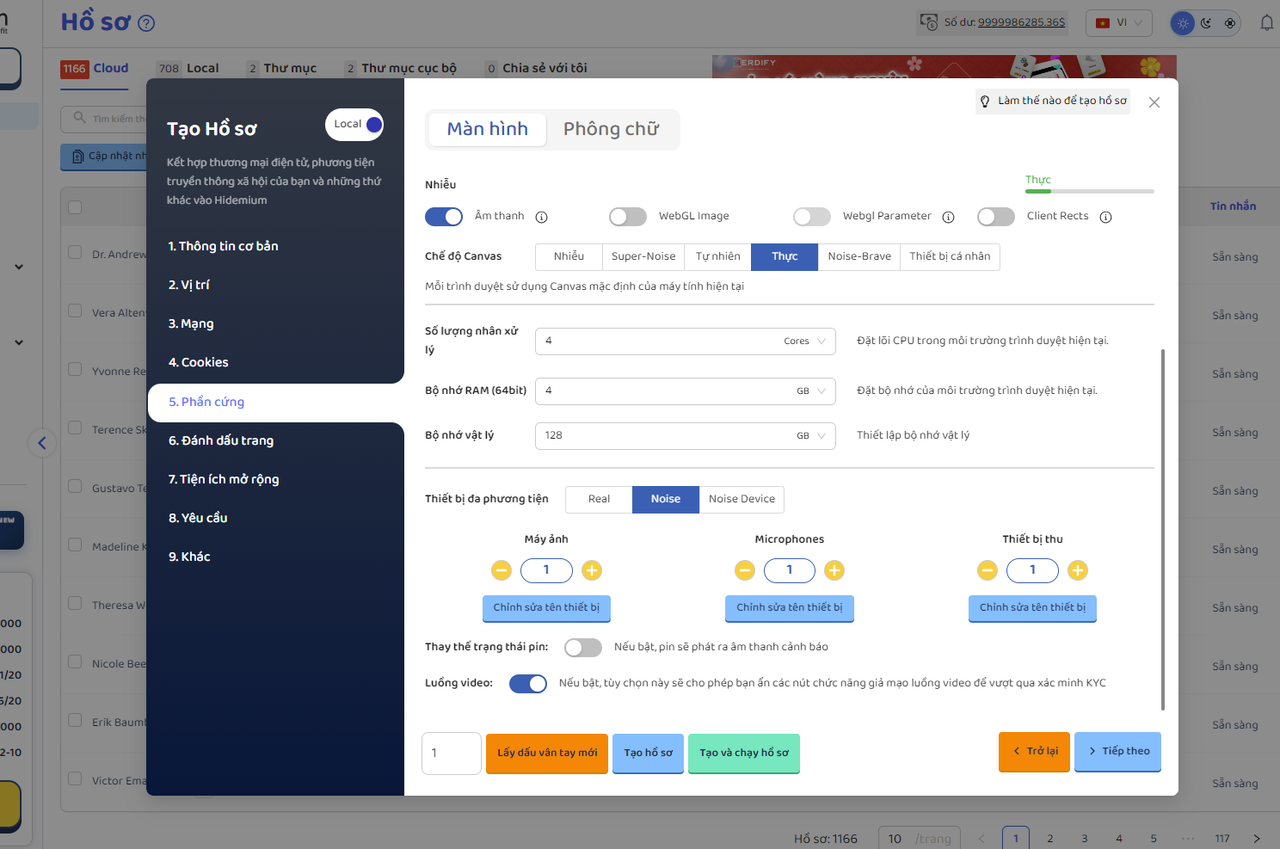
Nếu bật, tùy chọn này sẽ cho phép bạn ẩn các nút chức năng giả mạo luồng video để vượt qua xác minh KYC
**Lưu ý: Áp dụng cho core 144 chromium và 146 firefoxBước 1:**Tạo hồ sơ mới chọn core được hỗ trợ và bật tuỳ chọn luồng video:
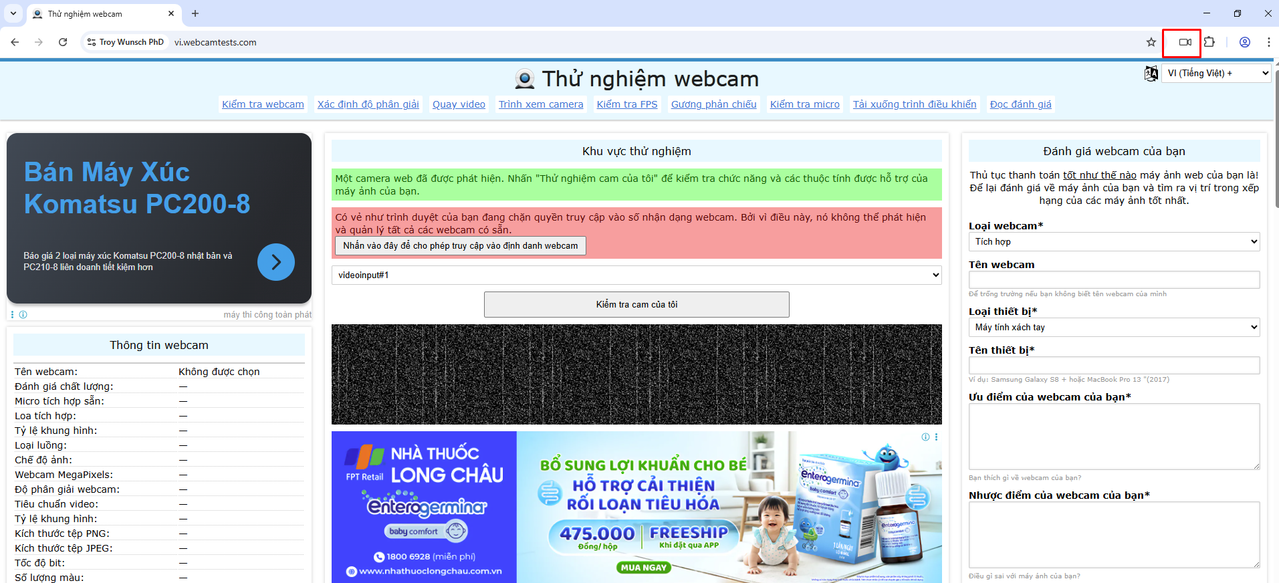
**Bước 2:** mở hồ sợ và chọn vào icon video góc phải trên cùng vùng khoanh đỏ và tải ảnh hoặc video được hỗ trợ lên
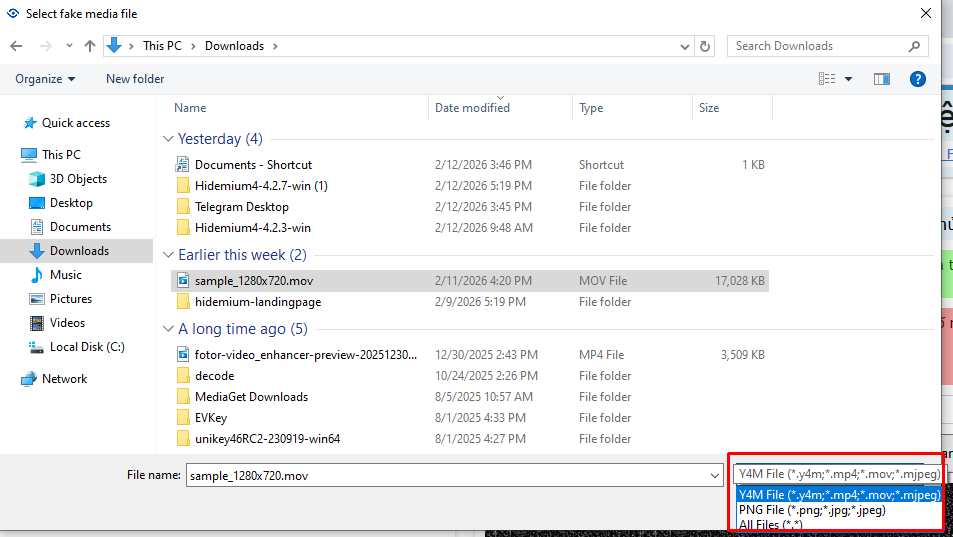
**Bước 3:** Các file được hỗ trợ tải lên và chờ tải lên
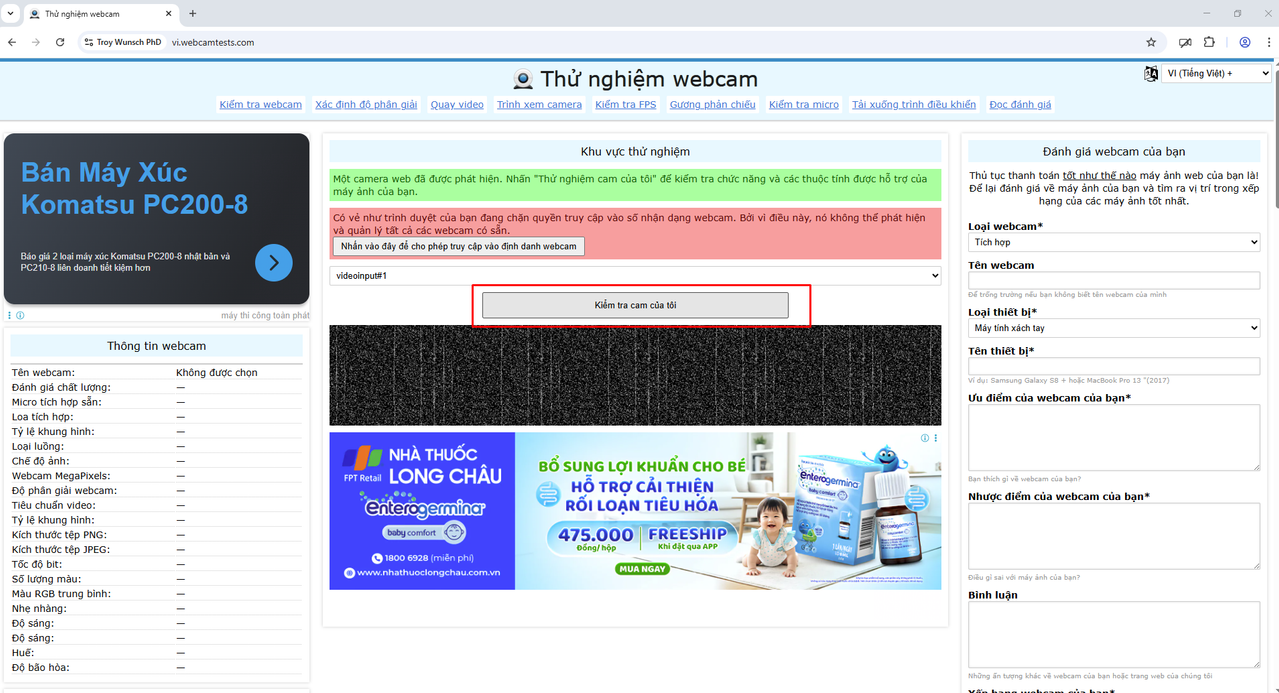
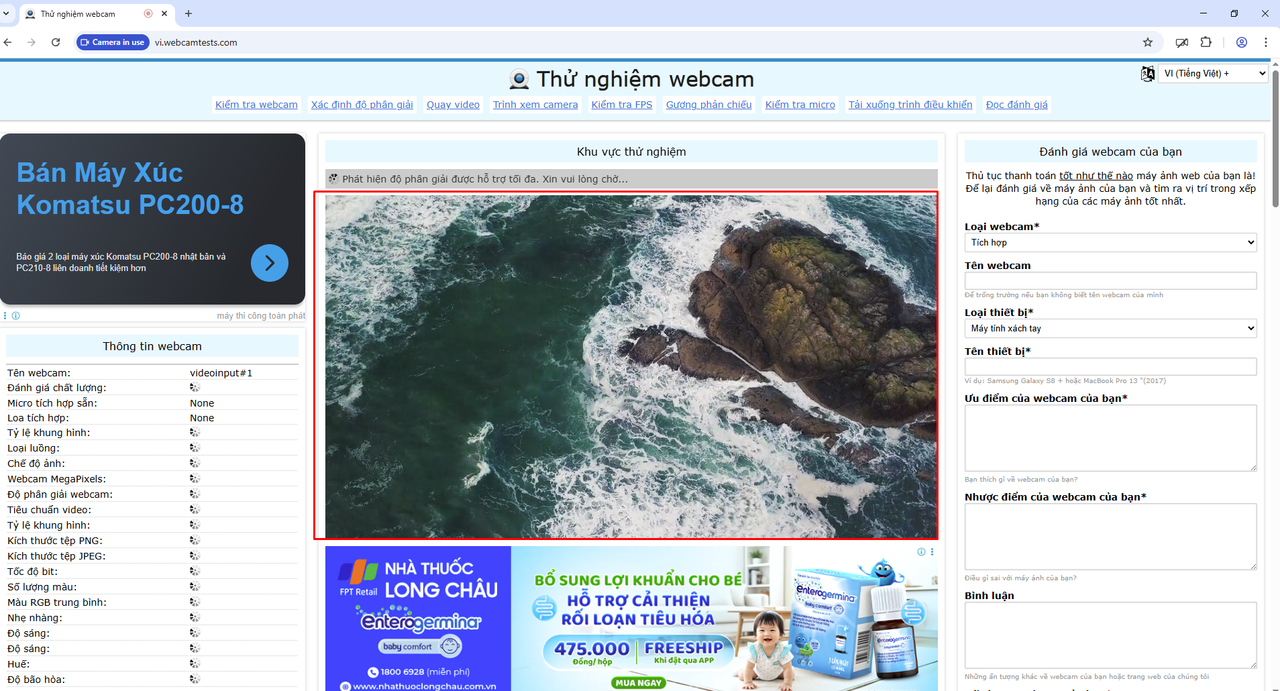
**Bước 4:** kiểm tra tại trang -> tải thành công sau đó cho phép bật camera -> chọnkiểm tra cam của tôi để kiểm tra
**Video hướng dẫn: **